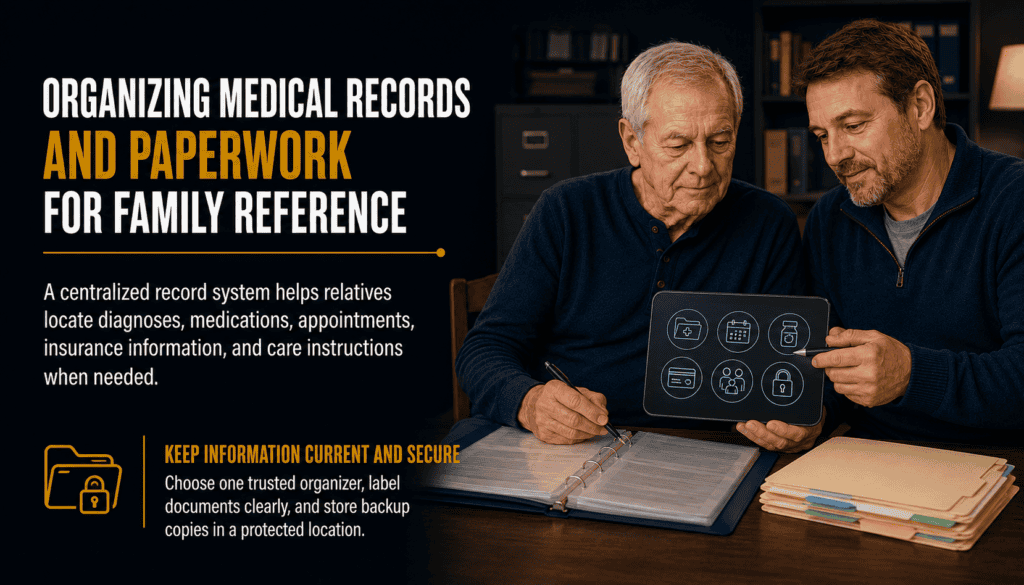
Organizing Medical Records and Paperwork for Family Reference
Keep essential medical information organized, accessible to authorized family helpers and ready for appointments. This guide provides a practical filing system while respecting the patient’s privacy and choices.
🧭 On This Page
Start With One Family Reference System
A mesothelioma diagnosis can produce appointment summaries, imaging reports, prescriptions, bills and insurance letters. A simple, shared system helps a patient and trusted helpers find the right information without requiring everyone to see every document. Ask the patient which family members should help, what they may access and how they prefer updates.
Choose one primary organizer and a backup. Use a labeled binder, a secure digital folder or both. Start with the next appointment and current medications rather than trying to organize every historical document in one day.
| First priority | Why it matters |
|---|---|
| Current medication list | Helps clinicians reconcile medicines |
| Upcoming appointments | Reduces missed visits |
| Care-team contacts | Makes questions easier to route |
| Recent test reports | Supports specialist visits |
Which Medical Records to Collect
Ask the treating clinic how to request copies through its patient portal or medical records department. Include the date and facility on every record. Keep original reports where possible; a family-written summary should never replace the actual report.
Imaging images may be supplied separately from written radiology reports. Pathology slides or tissue blocks may require a separate specialist-to-specialist request.
| Record | What to save |
|---|---|
| Pathology | Final report, specimen date, addenda |
| Imaging | Radiology reports and instructions for obtaining images |
| Treatment | Treatment plan, infusion records, surgery summaries |
| Laboratory tests | Dated results and reference ranges |
| Discharge | Instructions, follow-up and warning signs |
Maintain a Current Medication and Symptom List
Write down prescription medicines, nonprescription drugs, supplements, allergies, doses and schedules. Have the clinical team review the list whenever treatment changes. Do not stop or change prescribed medicines based on a family spreadsheet.
A symptom log can note the time, severity, temperature if directed, relevant medicines and who was contacted. Seek urgent help for severe breathing difficulty, new chest pain, fainting or other emergency symptoms; follow the care team’s specific instructions.
| Field | Example entry |
|---|---|
| Medication | Name, strength, dose, frequency |
| Prescriber | Clinician and contact |
| Allergies | Substance and reaction |
| Symptom | Onset, change, severity |
| Action | Advice received and next step |
Sort Insurance, Bills and Benefits Papers
Separate insurance coverage documents from bills and explanation-of-benefits statements. An explanation of benefits is generally not itself a bill. Verify any balance with the insurer and provider before paying. Keep dated notes of calls, reference numbers and appeal deadlines.
Keep Social Security, veterans benefits and other application materials in separate folders when relevant. Eligibility and deadlines depend on the program and circumstances; check the official program or a qualified adviser.
| Folder | Contents |
|---|---|
| Coverage | Insurance cards and plan documents |
| Claims | Claims, EOBs and correspondence |
| Bills | Itemized invoices and payment receipts |
| Assistance | Applications and determinations |
| Call log | Date, representative, reference number |
Protect Privacy and Clarify Legal Authority
Medical records access and healthcare decision-making authority are different. A patient may authorize a person to receive information without authorizing that person to make medical decisions. Ask the provider for its authorization forms; healthcare proxies and advance directives depend on applicable state law.
Use unique passwords, multifactor authentication where available and access permissions limited to people who need them. Avoid posting records in group chats or using shared passwords. Store paper originals in a secure location and tell an authorized backup where to find them.
| Question | Who to ask |
|---|---|
| Can this person receive records? | Provider records/privacy office |
| Can this person make decisions? | Clinician or qualified legal professional |
| Who can use the portal? | Portal support and patient |
| How long should documents be kept? | Provider, insurer or adviser |
Prepare a One-Page Appointment Packet
Before each appointment, confirm location, time, transportation and whether imaging or test results must be brought. Put the top three patient questions on one page. After the visit, record the next step, responsible person and due date; request a visit summary when available.
For a second opinion, ask the receiving center which pathology materials, imaging files and reports it needs. Do not assume one portal automatically shares everything with another health system.
| Before visit | After visit |
|---|---|
| Confirm appointment and transport | Record new orders and referrals |
| Bring current medicine list | Update medication list after confirmation |
| Bring relevant reports | Save visit summary |
| Write questions | Assign follow-up owner |
Create a Family Filing and Update Routine
Give folders consistent names such as YYYY-MM-DD_Facility_DocumentType. Keep a master index showing where each document is stored, but do not place sensitive identifiers in the index if it will be widely shared. Review the next seven days of appointments and tasks once a week.
Make a backup of digital files and establish a process for replacing outdated medication lists. If the patient wants to limit what relatives know, respect those boundaries and share only the information needed for assigned tasks.
| Frequency | Task |
|---|---|
| After each visit | File summary and update next steps |
| When medication changes | Replace old list after clinician confirmation |
| Weekly | Review appointments, bills and tasks |
| Monthly | Back up files and check access |
| As needed | Revisit patient permissions |
Printable Family Reference Checklist
Use this checklist as a starting point, not a substitute for the care team’s instructions. Write down who maintains each item and where it is located. If paperwork feels overwhelming, ask the hospital social worker or patient navigator about help with coordination.
| Item | Assigned person / status |
|---|---|
| Patient-approved contact list | ________ |
| Current medication and allergy list | ________ |
| Care-team phone numbers | ________ |
| Recent pathology and imaging reports | ________ |
| Insurance and billing folders | ________ |
| Advance-care documents, if any | ________ |
| Next appointments and transport | ________ |
Frequently Asked Questions
What should I organize first?
Start with the current medication and allergy list, upcoming appointments, care-team contacts and the most recent clinical reports.
Should we keep paper and digital copies?
Either can work. A secure digital backup of important paper records may help, provided the patient approves access and privacy is protected.
Can a caregiver automatically access all medical records?
No. Providers may require patient authorization or another legally valid basis for access. Ask the records or privacy office.
Is a medical records authorization the same as a healthcare power of attorney?
No. Permission to receive information and authority to make healthcare decisions are distinct.
What is the difference between imaging reports and images?
The report is the radiologist’s written interpretation; the images are the underlying scans. A second-opinion center may request both.
How should we track medical bills?
File itemized bills, insurer explanations of benefits, receipts and a dated call log separately; verify disputed balances before paying.
How often should we update the medication list?
Update it whenever the treating team confirms a change and review it at appointments.
Who can help when paperwork becomes overwhelming?
A hospital social worker, patient navigator, medical records office, insurer case manager or qualified legal adviser may help with different parts of the process.
Authoritative Resources
For guidance on accessing records and protecting health information, consult HHS: Your Medical Records and HealthIT.gov. For treatment and supportive care information, see the National Cancer Institute. Confirm current procedures with your healthcare organization.
Get Support
Call 800.291.0963 • Chat 24/7, 365 days a year • Submit Your Case using the form below.
⚕️ Legal & Medical Information Disclaimer
This information is educational and is not medical or legal advice. Ask your healthcare team about care and a qualified legal professional about legal authority and document requirements.