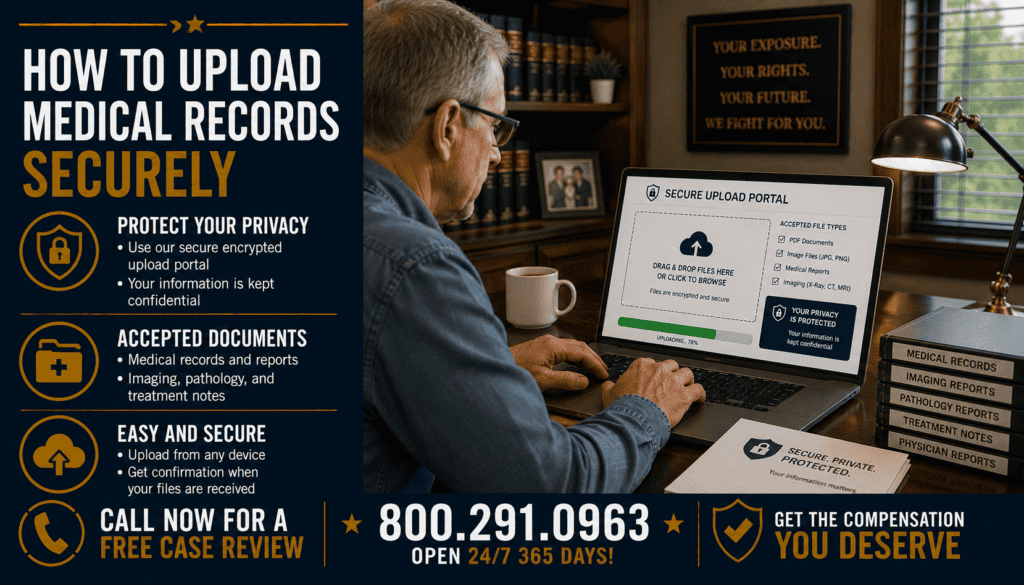
How to Upload Medical Records Securely
Medical records used in a mesothelioma claim can contain diagnoses, pathology findings, treatment information, dates of birth, insurance information and other sensitive data. Before uploading or transmitting those records, confirm who is requesting them, why they are needed and which submission method the recipient authorizes.
The safest workflow is usually to obtain records from the provider through an established process, organize only the relevant files, verify the destination independently, use the recipient’s authorized secure portal or other approved transmission method, and preserve an exact copy of what was submitted. Avoid treating ordinary file sharing as secure merely because it is convenient.
🔒 Why Secure Medical-Record Handling Matters
Medical files can expose both health information and identifying information. A misdirected email, public sharing link, compromised password, infected device or incorrect portal account can disclose records to someone who was never intended to receive them.
Security should protect three things: confidentiality, so unauthorized people cannot access the information; integrity, so records are not improperly changed; and availability, so authorized people can access them when needed. These are also core concepts in the HIPAA Security Rule.
🏥 HIPAA and Electronic Health Information
The U.S. Department of Health and Human Services explains that the HIPAA Security Rule establishes national standards for electronic protected health information maintained or transmitted by covered entities and business associates. Regulated entities must use reasonable and appropriate administrative, physical and technical safeguards.
HIPAA does not mean that every website, law office, personal device or consumer file-storage service is automatically subject to the same requirements. Before transmitting records, ask the recipient what secure method it uses and how the records will be protected.
📥 Requesting Your Medical Records
HIPAA generally gives individuals a right to access protected health information maintained in a designated record set, subject to specified limitations. HHS explains that this can include medical records and diagnostic images.
When requesting records, specify the provider, date range and record types you need. For a mesothelioma matter, potentially relevant material can include pathology, cytology, imaging reports, oncology records, operative reports, treatment summaries and other diagnostic documentation.
Requesting a focused set can reduce unnecessary disclosure and make the claim file easier to review.
✅ Verify the Recipient Before Uploading
Do not rely solely on a link in an unexpected email or text. Confirm the recipient using contact information you already trust or independently obtain from the organization.
- Confirm the person’s or organization’s name.
- Confirm the correct portal or destination.
- Ask which records are actually needed.
- Confirm any claim or matter number.
- Ask whether the upload link expires.
- Verify unexpected changes in submission instructions independently.
If the destination cannot be verified, do not send sensitive medical files until it can.
🖥️ Use an Authorized Secure Portal When Available
When a medical provider, law firm, asbestos trust or other authorized recipient provides a secure upload portal, use the official portal according to its instructions rather than substituting an unapproved consumer file-sharing service.
Check that you are on the intended website before entering credentials. Navigate from a known official source when possible instead of following an unfamiliar shortened link.
📧 Understand Email Risks
HHS states that the HIPAA Security Rule does not expressly prohibit regulated entities from sending electronic protected health information by email. However, regulated entities must address access control, integrity and transmission security and adequately protect ePHI sent over an electronic network.
For patients exercising HIPAA access rights, HHS also explains that individuals can generally request records by email and, after being advised of the risks, may request an unencrypted method in circumstances covered by the access rule.
That does not make ordinary email the preferred method for every legal-record transfer. If an authorized secure portal is available, it can reduce risks associated with misaddressed messages, forwarding and exposed attachments.
📁 Prepare Files Before Uploading
Organize records into logical files before transmission. Preserve the original source files whenever possible and create working copies for organization rather than modifying the only copy.
| Record | Useful preparation |
|---|---|
| Pathology | Keep report pages together and readable |
| Imaging reports | Separate reports from large image files when appropriate |
| Oncology records | Organize chronologically |
| Hospital records | Preserve page order and identifying headers |
| Bills/insurance | Keep separate from diagnostic evidence when practical |
🧾 Send Only the Records Requested
A medical chart can contain information unrelated to the purpose of a mesothelioma claim. Before uploading, determine which records were requested and whether unrelated documents need to be included.
Do not delete information from an original medical record to change its meaning. If a narrower set of records is appropriate, select the relevant source documents rather than altering the medical evidence itself.
💻 Secure the Device You Use
Upload records from a device you control and keep reasonably secured. Install operating-system and browser updates, use device access controls and avoid leaving sensitive files on a shared or public computer.
HHS’s Security Rule guidance emphasizes safeguards against reasonably anticipated threats and unauthorized access to electronic protected health information. Although a patient’s personal device is not automatically governed by HIPAA merely because the patient owns medical records, similar security habits can reduce avoidable exposure.
📶 Use a Trusted Network
Avoid uploading sensitive records over an unknown public network when a trusted connection is available. If you must work away from home, consider waiting until you can use a network and device you trust.
Do not assume a network is secure simply because it requires a café, hotel or airport password.
🔑 Passwords and Multi-Factor Authentication
Use a unique password for portals containing medical information and enable multi-factor authentication when the service offers it. Do not share a portal password by email or place it inside the same message as sensitive attachments.
If another person is helping manage the claim, use authorized account-access or representative procedures rather than sharing credentials when the system provides those options.
🏷️ Use Safe File Names
File names should help the authorized recipient understand the record without unnecessarily exposing sensitive information to anyone who might see the filename.
A practical format can identify the record type and date, such as Pathology_Report_2026-03-14.pdf. Avoid putting Social Security numbers, full account numbers or unnecessary diagnostic details in filenames.
🔍 Check Every File Before Sending
Open each file before upload. Confirm that it belongs to the correct patient, all intended pages are present, pages are readable, orientation is correct and unrelated records have not been accidentally included.
Also inspect scans for blank pages, cut-off margins and missing signatures or dates. A secure transmission is not useful if the evidence itself is incomplete or unreadable.
📨 Confirm the Upload Was Received
After submission, retain any confirmation page, timestamp, receipt number or portal message. If the portal provides a list of uploaded files, compare it with your own submission index.
Do not repeatedly re-upload the same records simply because an immediate response has not arrived. Confirm status through the recipient’s authorized contact method first.
🗂️ Preserve an Exact Submission Copy
Keep a copy of the exact files transmitted, along with the submission date, recipient and confirmation. This can help later if there is a question about which medical evidence was available at a particular stage of the claim.
For broader evidence organization, see How Exposure Timelines Strengthen Mesothelioma Claims.
👥 Sending Records to a Designated Third Party
HHS explains that an individual can direct a HIPAA-covered provider or plan to transmit PHI directly to a designated person or entity when the applicable access requirements are met. The written, signed request must clearly identify the designated recipient and where the information should be sent.
If you want a provider to send records directly to a legal representative or another authorized recipient, use the provider’s required request process and verify the destination carefully.
⚠️ If Records Go to the Wrong Recipient
Act promptly. Contact the intended organization or service provider through a verified channel, explain what happened and ask what steps are available to restrict or revoke access. If a sharing link was used and you control it, disable access when possible.
If the disclosure involved a medical provider, insurer, law firm, trust or other organization, follow its privacy or security reporting procedure. Do not publicly post screenshots containing the exposed health information while seeking help.
⚖️ Medical Records in Mesothelioma Claims
Medical records can support diagnosis, treatment, prognosis and damages, but they are only one category of evidence. They generally do not establish which asbestos product caused exposure, which defendant is legally responsible or where occupational exposure occurred.
Employment records, exposure timelines, product evidence, site documents and witness information may be needed separately. See Mesothelioma Lawsuit Evidence & Documentation.
✅ Secure Upload Checklist
| Before sending | Check |
|---|---|
| Recipient | Identity and destination independently verified |
| Method | Authorized secure portal or approved method selected |
| Device | Trusted and updated |
| Network | Trusted connection used |
| Files | Correct patient, complete and readable |
| Scope | Only appropriate requested records included |
| Names | No unnecessary sensitive data in filenames |
| Account | Unique password; MFA enabled when available |
| Confirmation | Receipt or timestamp preserved |
| Archive | Exact submitted copy retained securely |
❓ Frequently Asked Questions
What is the safest way to upload medical records?
Use the authorized secure portal or transmission method provided by the verified recipient, from a trusted device and network, and retain confirmation of the submission.
Can medical records be sent by email?
HHS states that HIPAA does not expressly prohibit regulated entities from using email for ePHI, but applicable security safeguards must be addressed. Patients also have access rights that can include email transmission in appropriate circumstances.
Is encryption always mandatory under the HIPAA Security Rule?
HHS describes encryption as an addressable implementation specification under the currently effective Security Rule. Regulated entities must evaluate whether it is reasonable and appropriate and document alternatives when applicable.
Should I upload my entire medical chart?
Not automatically. Determine what the recipient needs and follow the applicable request or filing requirements.
Can I upload records from my phone?
Potentially, but use a device you control, keep it updated and protected, and verify that you are using the recipient’s authorized portal or application.
Should I include my Social Security number in a filename?
No unless a verified recipient specifically requires a naming convention that calls for it. Avoid exposing unnecessary identifiers in filenames.
Can I send records directly from my doctor to a third party?
HIPAA access rules can allow an individual to direct a covered entity to transmit PHI to a designated third party when the applicable written-request requirements are met.
Should I keep copies after uploading?
Yes. Keep the exact submitted files and the upload confirmation securely.
What if I uploaded the wrong document?
Contact the recipient promptly through a verified channel and ask whether the incorrect file can be removed or access restricted.
Do medical records prove asbestos exposure?
Usually not by themselves. They can document diagnosis and treatment; exposure generally requires separate occupational, product, site or witness evidence.
📞 Request a Case Evaluation
If you or a family member has been diagnosed with mesothelioma, preserve pathology, diagnostic and treatment records along with employment and exposure evidence. Before transmitting sensitive files, verify the recipient and use its authorized submission process.
Call 800.291.0963 for a no-obligation case evaluation and to talk to a real person 24/7, 365 days a year. Many mesothelioma law firms handle qualifying cases on a contingency-fee basis; confirm the fee agreement and terms directly with the firm you retain. Submit your case here.
📝 Summary
Secure medical-record transmission starts with verifying the recipient and using an authorized method. Organize only the records needed, upload from a trusted device and network, protect portal credentials, check every file before sending, and preserve an exact submission copy and receipt. HIPAA establishes security requirements for regulated entities handling electronic protected health information, but patients should still use careful security practices when managing copies on personal devices or sending them to third parties.
🔗 Confirmed Sources
- U.S. Department of Health and Human Services — Summary of the HIPAA Security Rule
- HHS — Sending Electronic PHI by Email or Over the Internet
- HHS — Individuals’ Right Under HIPAA to Access Health Information
Disclaimer: General information only—not legal, medical, privacy, cybersecurity or compliance advice. This website is not a law firm or health-care provider. Security requirements and privacy obligations depend on the organization, information, technology and applicable law. Follow the verified recipient’s current secure-submission instructions.